Best Laptop Malaysia 2026: Gaming, Student, Budget, Business & More
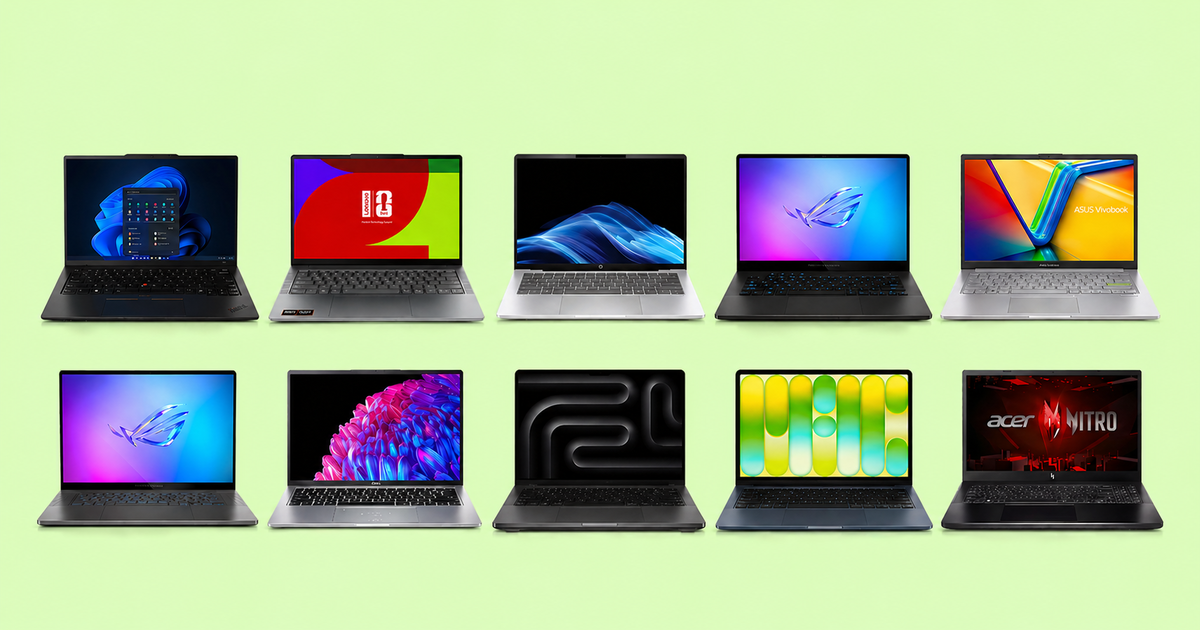
Confused by the hundreds of laptop options in Malaysia? This 2026 guide breaks down the best laptops by real use case - gaming, students, daily tasks, battery life, business, and budget - so you can stop guessing and start buying right.
Last updated: April 26, 2026
Finding the best laptop in Malaysia in 2026 is harder than it should be. Walk into Low Yat Plaza, DirectD, or any Shopee page and you are hit with hundreds of models across dozens of brands - all claiming to be fast, thin, long-lasting, and great value at the same time. The real problem is not a shortage of options. It is knowing which laptop is actually built for what you need, from a brand you can trust, at a price that makes sense.
Most people end up spending too much on specs they will never use, or too little and regretting it six months later when the battery barely lasts a meeting or the laptop crawls under load. This guide cuts through the noise and ranks the best laptops you can buy in Malaysia in 2026 - one clear winner for each use case: gaming, students, daily tasks, battery life, business, budget, and creative work. Find your category, find your laptop.
Whether you are a student heading to university, a professional upgrading your work machine, a gamer building a setup, or someone simply replacing an aging laptop, this guide gives you a straight answer without making you read 20 reviews to get there.
Sneak Peek
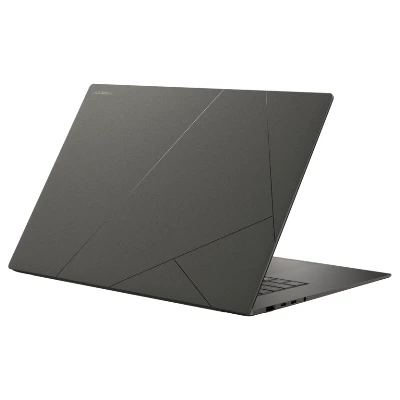 Shopee1. Best for OverallASUS Zenbook S16
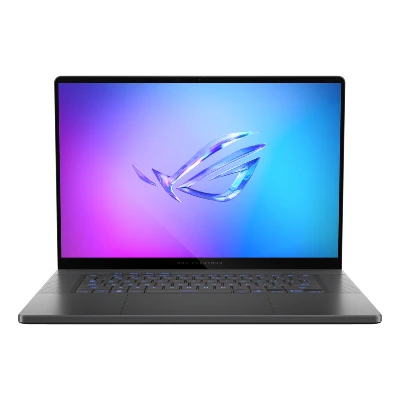 Shopee2. Best for GamingASUS ROG Zephyrus G16
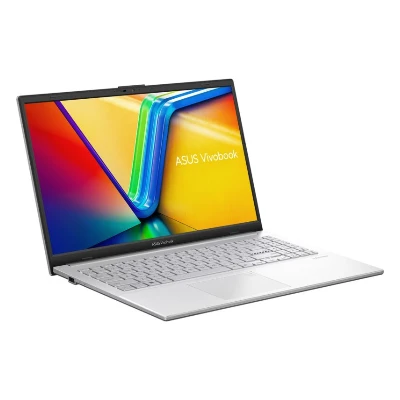 Shopee3. Best for BudgetASUS Vivobook Go 15
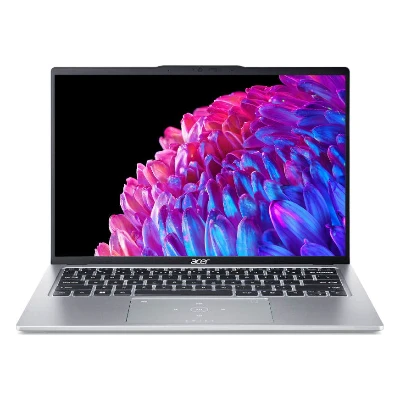 Shopee4. Best for StudentAcer Swift Go 14
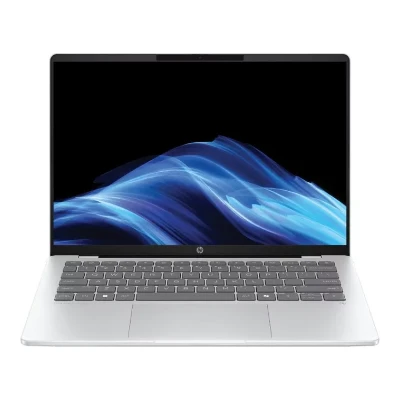 Shopee5. Best for Best Battery LifeHP OmniBook X
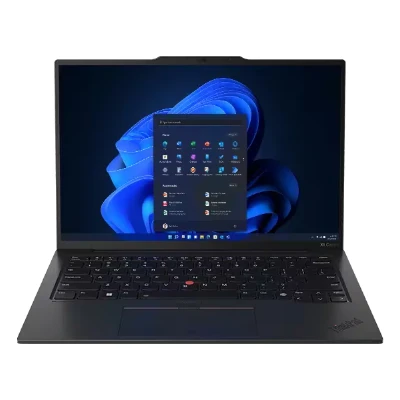 Shopee6. Best for BusinessLenovo ThinkPad X1 Carbon
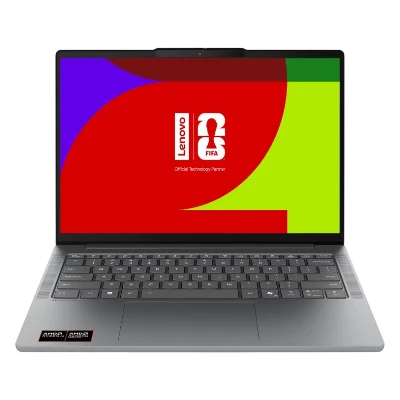 Shopee7. Best for Daily TaskLenovo IdeaPad Slim 5
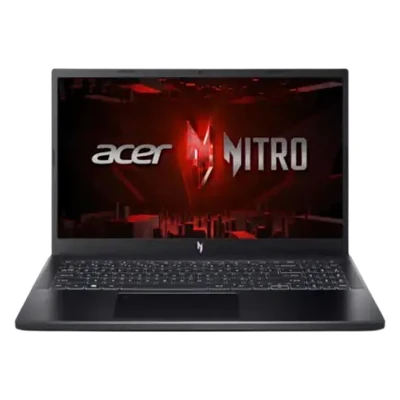 Shopee8. Best for Budget GamingAcer Nitro V15
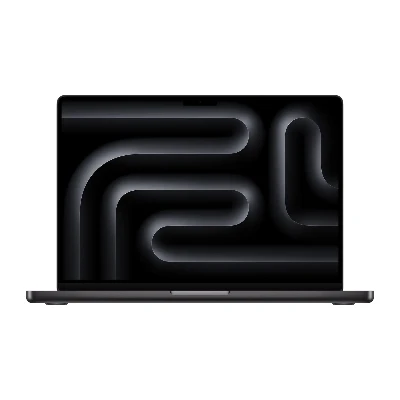 Shopee9. Best for Creative WorkApple MacBook Pro M5
 Shopee10. Best for First Time MacApple MacBook Neo
Quick Comparison
| Product | Processor (CPU) | Memory (RAM) | Storage (SSD) | Screen Size | Display Technology | Graphics (GPU) | Battery Capacity | Battery Life | Display Resolution | Refresh Rate | Weight | Wireless Standard | Port Configuration | Operating System |
|---|---|---|---|---|---|---|---|---|---|---|---|---|---|---|
| AMD Ryzen AI 9 HX 370 | 32GB LPDDR5X | 1TB SSD | 16-inch | OLED | AMD Radeon 890M | 78Wh | Up to 18 hours | 2880 x 1800 | 120Hz | 1.5kg | Wi-Fi 7, Bluetooth 5.4 | 2x USB-C, 1x USB-A, HDMI 2.1 | Windows 11 Home |
| Intel Core Ultra 9 285H | 32GB LPDDR5X | 1TB SSD | 16-inch | OLED | NVIDIA RTX 5070 Ti 12GB GDDR7 | 90Wh | Up to 8 hours | 2560 x 1600 | 240Hz | 1.85kg | Wi-Fi 7, Bluetooth 5.4 | 2x USB-C, 2x USB-A, Thunderbolt 4, HDMI 2.1, SD card reader | Windows 11 Pro |
| AMD Ryzen 5 7520U | 16GB LPDDR5 | 512GB SSD | 15.6-inch | IPS | AMD Radeon Graphics | 50Wh | Up to 10 hours | 1920 x 1080 | 60Hz | 1.63kg | Wi-Fi 5, Bluetooth 5.1 | 1x USB-C, 2x USB-A, HDMI 1.4, headphone jack | Windows 11 Home |
| Intel Core Ultra 5 125H | 16GB LPDDR5X | 512GB SSD | 14-inch | OLED | Intel Arc Graphics | 65Wh | Up to 12 hours | 2880 x 1800 | 90Hz | 1.25kg | Wi-Fi 6E, Bluetooth 5.3 | 2x USB-C, 2x USB-A, HDMI 2.1 | Windows 11 Home |
| Qualcomm Snapdragon X Elite | 16GB LPDDR5X | 512GB SSD | 14-inch | IPS | Qualcomm Adreno GPU | 75Wh | Up to 26 hours | 2240 x 1400 | 60Hz | 1.32kg | Wi-Fi 7, Bluetooth 5.4 | 2x USB-C, 1x USB-A, headphone jack | Windows 11 Home |
| Intel Core Ultra 7 258V | 32GB LPDDR5X | 1TB SSD | 14-inch | OLED | Intel Arc 140V Graphics | 57Wh | Up to 21 hours | 2880 x 1800 | 120Hz | 0.98kg | Wi-Fi 7, Bluetooth 5.4 | 2x Thunderbolt 4, 2x USB-A, HDMI 2.1 | Windows 11 Pro |
| AMD Ryzen 7 7840HS | 16GB LPDDR5X | 1TB SSD | 14-inch | OLED | AMD Radeon 780M | 70Wh | Up to 14 hours | 2880 x 1800 | 120Hz | 1.46kg | Wi-Fi 6E, Bluetooth 5.2 | 2x USB-C, 2x USB-A, HDMI 2.1, headphone jack | Windows 11 Home |
| Intel Core i7-13620H | 16GB DDR5 | 512GB SSD | 15.6-inch | IPS | NVIDIA RTX 4050 6GB | 59Wh | Up to 6 hours | 1920 x 1080 | 144Hz | 2.1kg | Wi-Fi 6, Bluetooth 5.2 | USB-C, 3x USB-A, HDMI 2.1, Ethernet | Windows 11 Home |
| Apple M5 Pro (14-core CPU) | 24GB unified memory | 1TB SSD | 16.2-inch | Liquid Retina XDR | 20-core GPU | 100Wh | Up to 24 hours | 3456 x 2234 | 120Hz ProMotion | 2.14kg | Wi-Fi 7, Bluetooth 6 | 3x Thunderbolt 5, HDMI 2.1, SDXC, MagSafe 3, headphone jack | macOS Tahoe |
| Apple A18 Pro (6-core CPU) | 8GB unified memory | 256GB SSD | 13-inch | Liquid Retina | 5-core GPU | 36.5Wh | Up to 16 hours | 2408 x 1506 | 60Hz | 1.24kg | Wi-Fi 6E, Bluetooth 6 | 2x USB-C, headphone jack | macOS Sequoia |
Laptops in 2026 divide clearly by purpose: ultrabooks built for portability and battery, gaming machines with dedicated GPUs and high-refresh displays, budget workhorses for students and light users, business-grade units with security and build quality as a priority, and creative tools with colour-accurate displays and strong processing power. Knowing which camp you fall into before you buy saves a lot of regret later.
The picks below were chosen based on what Malaysian buyers actually need day to day - not just benchmark scores. Each model is available locally, from brands with accessible support, and represents the strongest option in its category as of 2026.
Best for Overall
ASUS Zenbook S16
Pros & Cons
- Snapdragon X2 Elite chip delivers class-leading performance with outstanding energy efficiency
- 16-inch display gives more screen room for multitasking while staying under 1.3kg
- Over 20 hours of real-world battery life with flagship-grade performance on a single charge
- ARM-based chip has occasional compatibility issues with legacy Windows software
- Not suited for gaming or GPU-intensive creative work
Show Key Specs
Quick Verdict on ASUS Zenbook S16
The best all-round laptop for Malaysian buyers in 2026. The Zenbook S16 does something remarkable: it combines a spacious 16-inch display, over 20 hours of battery life, and genuine flagship performance in a chassis under 1.3kg. Whether you are a student, professional, or everyday user, it handles everything without compromise - the only caveat being occasional ARM app compatibility quirks for legacy software.
Best for Gaming
ASUS ROG Zephyrus G16
Pros & Cons
- Intel Core Ultra 9 and RTX 5070 Ti handle every modern game at high to ultra settings
- 2.5K 240Hz OLED ROG Nebula display - one of the best gaming panels available
- Redesigned cooling system fixes thermal issues from previous generations
- Premium price puts it out of reach for casual gamers
- Heavy charger and limited battery life under gaming load
Show Key Specs
Quick Verdict on ASUS ROG Zephyrus G16
The best gaming laptop you can buy in Malaysia in 2026, and the one ASUS should have shipped two years ago. The 2026 model finally fixes the thermal problems that frustrated owners of previous versions. If you want a machine that handles AAA gaming and creative work in a chassis that does not look ridiculous in a cafe, this is it - though you will pay a serious premium for the privilege.
Best for Budget
ASUS Vivobook Go 15
Pros & Cons
- One of the few laptops at this price with a genuine OLED display
- AMD Ryzen processor delivers smooth everyday performance
- Lightweight and compact enough for daily commuting
- Build quality feels basic compared to pricier alternatives
- Battery life is average for a laptop claiming portability
Show Key Specs
Quick Verdict on ASUS Vivobook Go 15
The best budget laptop in Malaysia in 2026 for buyers who refuse to settle for a dim, washed-out display. Getting an OLED screen at this price is genuinely unusual, and the performance handles everything from streaming to assignments without complaint. The build feels like what it is, a budget laptop, but the screen alone makes it worth the trade-off.
Best for Student
Acer Swift Go 14
Pros & Cons
- Slim and light at around 1.3kg - easy to carry between classes all day
- Strong performance for assignments, Zoom, and light editing
- Good battery life covering a full day of lectures
- Display brightness is not class-leading
- No dedicated GPU for heavier creative or gaming workloads
Show Key Specs
Quick Verdict on Acer Swift Go 14
The most sensible student laptop in Malaysia in 2026. It is light enough to carry everywhere, fast enough to handle university workloads without frustration, and reliable enough to last through a full semester without drama. Students doing engineering, design, or gaming-heavy coursework will need to look at a more capable machine, but for everyone else this is the sweet spot.
Best for Best Battery Life
HP OmniBook X
Pros & Cons
- Up to 25 hours of real-world battery life - among the longest of any Windows laptop available in Malaysia
- 2K OLED display with vivid colours and deep contrast at an accessible price point
- HP Fast Charge recovers 50% battery in just 30 minutes with a compact 65W GaN adapter
- Snapdragon X chip is capable but not the fastest option for demanding multitasking
- Build uses plastic on the lower chassis - feels less premium than all-metal competitors
Show Key Specs
Quick Verdict on HP OmniBook X
The HP OmniBook 5 14 is the best Windows laptop for battery life in Malaysia in 2026, and it is not particularly close. Real-world tests consistently return over 25 hours of endurance on a single charge, and the compact fast-charger means topping back up to 50% takes just 30 minutes when you do need power. The OLED display is a genuine bonus at this price point, and local availability through HP Malaysia makes it easy to buy and support. Performance is solid for everyday tasks - just do not expect it to power through heavy video editing or gaming.
Best for Business
Lenovo ThinkPad X1 Carbon
Pros & Cons
- Featherlight at under 1kg - the lightest ThinkPad X1 Carbon ever built
- Best-in-class keyboard with deep key travel that sets the standard for business laptops
- Carbon fiber and magnesium chassis passes MIL-SPEC durability tests across 12 categories
- RAM is soldered with a 32GB ceiling - not suitable for memory-heavy workloads
- Premium price positions it firmly at the top of the business laptop market
Show Key Specs
Quick Verdict on Lenovo ThinkPad X1 Carbon
The ThinkPad X1 Carbon is the gold standard for business laptops, and the Gen 13 is the best version yet. Under 1kg in a chassis that survives genuine daily punishment, with a keyboard that professionals who type for a living consistently call the best available on any Windows laptop. If you work in an office, travel frequently, or simply demand a machine that holds up over years of heavy use, this is the benchmark everything else is measured against.
Best for Daily Task
Lenovo IdeaPad Slim 5
Pros & Cons
- Balanced performance handles multitasking, streaming, Office, and casual use with ease
- Solid keyboard with good key travel - a cut above most laptops in this segment
- Lenovo's build consistency makes it a reliable long-term buy
- Display is good but not outstanding compared to OLED alternatives
- Not the right choice for gaming or demanding creative workflows
Show Key Specs
Quick Verdict on Lenovo IdeaPad Slim 5
The most practical laptop for everyday Malaysian life in 2026. It handles everything the average person actually does: browsing, streaming, video calls, Office documents, and light multitasking without ever feeling slow or frustrating. Lenovo's build quality and consistent software support make it a dependable choice that holds up well over time.
Best for Budget Gaming
Acer Nitro V15
Pros & Cons
- RTX 4050 or 4060 GPU capable of 1080p gaming at high settings
- 144Hz display delivers noticeably smoother gameplay than standard panels
- Most affordable entry point into genuine dedicated-GPU gaming in Malaysia
- Heavier and bulkier than ultrabooks - not easy to carry daily
- Fan noise ramps up significantly under gaming load
Show Key Specs
Quick Verdict on Acer Nitro V15
The best way into PC gaming in Malaysia without breaking the bank. The Nitro V 15 has been the go-to budget gaming recommendation for years and the 2026 version keeps that reputation intact. You will not run the latest AAA titles at ultra settings, but high settings at 1080p is very achievable, and nothing at this price point comes close to matching it.
Best for Creative Work
Apple MacBook Pro M5
Pros & Cons
- M5 Pro chip with improved CPU and GPU performance delivers faster rendering, smoother multitasking, and better efficiency for demanding creative workloads
- Liquid Retina XDR Mini-LED display with 1600 nits peak brightness and ProMotion 120Hz - still one of the best laptop displays available
- Three Thunderbolt 4 ports, HDMI, and SD card slot - excellent connectivity for creative professionals
- Premium price puts it firmly at the top end of the laptop market
- Heavier than MacBook Air at around 1.5kg, and macOS limits Windows-only software
Show Key Specs
Quick Verdict on Apple MacBook Pro M5
The MacBook Pro M5 pushes performance even further for creative professionals in Malaysia. Video editors, graphic designers, music producers, and photographers will benefit from faster exports, smoother timelines, and improved power efficiency compared to the previous generation. The XDR display remains one of the most colour-accurate screens on any laptop, and the port selection continues to meet professional needs. It is expensive, runs macOS, but delivers top-tier performance if creative work is your livelihood.
Best for First Time Mac
Apple MacBook Neo
Pros & Cons
- Apple's most affordable laptop ever - the lowest entry point into macOS and Apple Intelligence
- A18 Pro chip handles everyday tasks, streaming, studying, and light editing without any slowdown
- Up to 16 hours battery life and a compact, colorful design that stands out on any desk
- No backlit keyboard and no Force Touch trackpad - corners clearly cut to hit the price
- Only 8GB RAM and a single USB 3 port - not built for demanding multitasking or heavy peripherals
Show Key Specs
Quick Verdict on Apple MacBook Neo
Apple launched the MacBook Neo in March 2026 as their cheapest laptop ever, and it is genuinely aimed at students and Windows switchers who want into the Mac ecosystem without paying MacBook Air prices. The A18 Pro chip handles daily tasks well, the battery lasts all day, and it comes in fun colors you will not find on any other Mac. Just know what you are trading off - no keyboard backlight, limited ports, and 8GB RAM that will feel constrained over time. For a first Mac or a light-use laptop, it is a compelling starting point.
What to Look for When Buying the Best Laptop in Malaysia
Processor (CPU): This is the single biggest factor in laptop performance. In 2026, Intel Core Ultra 5 and 7, AMD Ryzen 5 and 7, and Apple M5 chips cover the mid-to-premium segment. For basic daily use, any current-gen Core i5 or Ryzen 5 is more than enough. For gaming, video editing, or heavy multitasking, look at Core i7, Ryzen 7, or higher. Avoid older generation chips even if they look cheap on paper.
RAM: 8GB is the absolute minimum for a usable experience in 2026. 16GB is the recommended baseline for anyone multitasking across browsers, Office, and communication apps. Creators, developers, and gamers should be looking at 16GB to 32GB. If the RAM is soldered (not upgradeable), choose the right amount at purchase because you cannot add more later.
Storage: Always buy an SSD, never an HDD in 2026. A 512GB SSD is the practical minimum for most users. If you store large files locally, shoot video, or install many games, 1TB is the better choice. NVMe SSDs are significantly faster than SATA SSDs, so check which type a laptop uses before buying.
Display: Screen quality affects every single minute you spend in front of your laptop. IPS panels are the standard, OLED displays are the premium option with richer contrast and colour. Resolution matters less than most specs suggest - 1080p on a 14-inch screen looks perfectly sharp. For gaming, prioritise refresh rate (144Hz or higher). For creative work, prioritise colour accuracy.
GPU (Graphics Card): For daily tasks, email, streaming, and Office work, integrated graphics are fine. For gaming or serious video editing, a dedicated GPU from NVIDIA (RTX 4050 and above) makes a significant difference. Integrated graphics on Apple M5 and Snapdragon X chips are an exception to this rule and handle light creative tasks well.
Weight and Portability: A laptop you carry daily should ideally be under 1.5kg. Gaming and workstation laptops often exceed 2kg, which is acceptable if they stay at a desk. Measure your tolerance for bag weight before choosing a large or powerful machine.
Battery Life: For students and professionals who spend time away from a desk, battery life is just as important as performance. Look for laptops that claim at least 10 hours of real-world use - not just the manufacturer's optimistic figure. ARM-based laptops like those running Snapdragon X or Apple silicon consistently lead this category. Gaming laptops will drain significantly faster under load, so factor in whether you will always be near a power point.
After-Sales Support in Malaysia: This is one of the most overlooked factors when buying a laptop in Malaysia. A laptop is a long-term investment, and things can go wrong. Before buying, check whether the brand has authorised service centres in your state. Brands like ASUS, Lenovo, Acer, HP, and Apple have established support networks across Malaysia. Lesser-known brands may offer attractive specs but leave you with no local repair option when something fails out of warranty.
Laptop Price Guide for Malaysia 2026
Laptops in Malaysia in 2026 span a wide range, and each tier sets clear expectations for what you get.
Entry-Level: Basic tasks like web browsing, streaming, and Microsoft Office. Processors from older Intel Core i3 or AMD Ryzen 3 generations, 8GB RAM, and 256GB SSD. Acceptable for light use and tight budgets, but do not expect longevity or upgradeability.
Mid-Range: The sweet spot for most buyers. Current-gen Core i5 or Ryzen 5, 8GB to 16GB RAM, 512GB SSD, and decent display quality. Covers students, daily task users, and light content creators comfortably. Most value-for-money picks live here, including models from ASUS Vivobook, Acer Swift, and Lenovo IdeaPad.
Upper Mid-Range: Core i7 or Ryzen 7, 16GB RAM, 512GB to 1TB SSD, and significantly better build quality or display. Suitable for professionals, developers, and serious students. ASUS Zenbook, HP Spectre entry, and Huawei MateBook models sit in this segment.
Premium: Flagship processors, dedicated GPUs or Apple silicon, OLED displays, and premium chassis materials. Built for gaming enthusiasts, creative professionals, and power users who need sustained high performance. ASUS ROG Zephyrus, MacBook Air M5, and Lenovo ThinkPad X1 Carbon sit here.
Brand Reliability in Malaysia: What to Know
Not all laptop brands are equally supported in Malaysia, and that matters when something goes wrong.
ASUS has one of the strongest local presences with service centres across the country, competitive pricing, and a wide range covering every category from budget to premium gaming. Consistently the most recommended brand across Malaysian tech communities.
Lenovo offers reliable business and consumer laptops with solid after-sales support through authorised service partners. The ThinkPad and IdeaPad lines have earned long-term trust from professionals and students alike.
Acer competes aggressively on price and is widely available at major retailers. The Nitro and Swift lines offer good value, and local service centres make repairs accessible.
HP is a strong choice for business users with MIL-SPEC models and enterprise-grade support contracts. Consumer models are widely available through Senheng, Harvey Norman, and major e-commerce platforms.
Apple commands a premium but offers a consistent, long software support lifecycle. MacBooks hold their resale value better than Windows laptops and are well supported through Apple Authorised Service Providers across Malaysia.
Huawei offers competitive specs at attractive prices in Malaysia. Local availability is strong, though the ecosystem is more limited for users outside of the Huawei app and accessory world.
MSI is worth mentioning for gaming laptop buyers specifically. MSI gaming laptops are widely available at Low Yat Plaza and major e-commerce platforms, and they offer a strong alternative to ASUS ROG models at various price points. Service support has improved in recent years with more authorised centres in Klang Valley.
When shortlisting the best laptop in Malaysia for your needs, checking brand reliability alongside specs is not optional - it is essential. A poorly supported brand can turn a great deal into a frustrating ownership experience.
How We Pick the Best Laptops in Malaysia
Every laptop on this list was evaluated on what actually matters for Malaysian buyers in 2026: real-world performance under sustained use, local brand availability and service support, display and build quality relative to the price, and long-term ownership reliability.
We deliberately avoided recommending laptops based on launch-day benchmark numbers alone. A laptop that peaks in tests but throttles after 10 minutes, runs hot on a desk, or feels cheaply built after a year of use is not a recommendation - it is a warning. The picks above hold up across all of these dimensions.
We also considered what makes a laptop a good buy specifically in Malaysia: whether the brand has authorised service centres locally, whether the model is officially sold through reputable retailers like Senheng, Harvey Norman, DirectD, or All IT Hypermarket, and whether the specs represent honest value versus what you are paying. A laptop that costs less on paper but lacks local support can end up costing more in the long run.
The result is a list of the best laptops in Malaysia in 2026 that we are confident in recommending to any buyer - regardless of budget, use case, or technical knowledge. Every pick earns its place on merit, not marketing.